
How to Switch From Demo to Real Account in Quotex: Step-by-Step Guide

Table of Contents
- What Is the Difference Between a Quotex Demo and Real Account?
- How to Switch From Demo to Real Account in Quotex?
- How to Switch From Demo to Real Account on Mobile
- Do You Need a New Account to Start Real Trading?
- Important Things to Check Before Using a Real Account
- Why Is the Real Account Option Not Working?
- Can You Switch Back From Real to Demo Account?
- Common Mistakes When Switching to a Real Account
- Frequently Asked Questions
- Conclusion
Quick Answer
To switch from a demo to a real account in Quotex, log in to your account, click the account balance or account selector at the top of the dashboard, and choose Real Account instead of Demo Account.
You can use the same registered account for both modes. However, placing real-money trades requires an available real balance, and deposits, verification, and trading access depend on the platform’s rules and your country’s regulations.
This guide explains how the switching process works, what you should check before using real money, and how to solve common account issues.
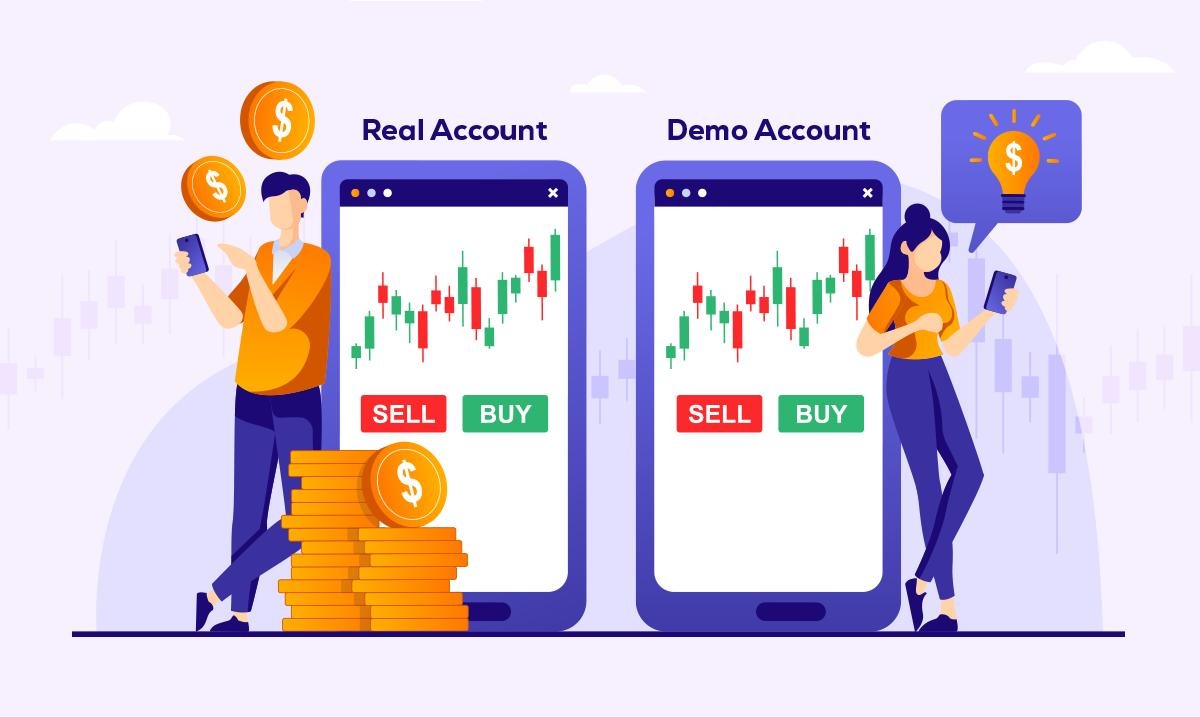
What Is the Difference Between a Quotex Demo and Real Account?
Before changing your account mode, it helps to understand what actually changes.
A Quotex demo account allows you to practice using virtual funds. The platform advertises a $10,000 practice balance, which you can use to explore charts, indicators, and trading features without risking your own money.
A real account works differently. Instead of using virtual funds, you make trading decisions using actual deposited money. This means your gains and losses have real financial consequences.
Here is a quick comparison:
| Feature | Demo Account | Real Account |
| Money used | Virtual funds | Real money |
| Deposit required | No | Required to fund trading |
| Financial risk | No personal funds at risk | Real financial losses possible |
| Trading charts | Available | Available |
| Technical indicators | Available | Available |
| Withdrawals | Not available for virtual funds | Subject to platform conditions |
| Main purpose | Learning and practice | Real-money transactions |
Both modes may look similar, but the financial risk is completely different.
For a detailed explanation, read our guide on Quotex Demo vs Real Account: Features and Key Differences Explained.
How to Switch From Demo to Real Account in Quotex?
The account switching process is generally straightforward. The exact appearance of menus may vary depending on the platform version or device.
Step 1: Log In to Your Quotex Account
Start by opening the Quotex website using a supported browser.
Click the Login or Sign In option and enter your registered email address and password.
Once your login details are accepted, you should reach the trading dashboard.
If you are having trouble signing in, follow our Quotex Login: A Step-by-Step Guide for New Traders for help with basic login and password issues.
Step 2: Find the Account Balance Section
After logging in, look near the top of the trading dashboard.
You should find an account balance or account selection area showing your current mode.
If you are using the practice account, it may display Demo Account along with your virtual balance.
Click this section to open the available account options.
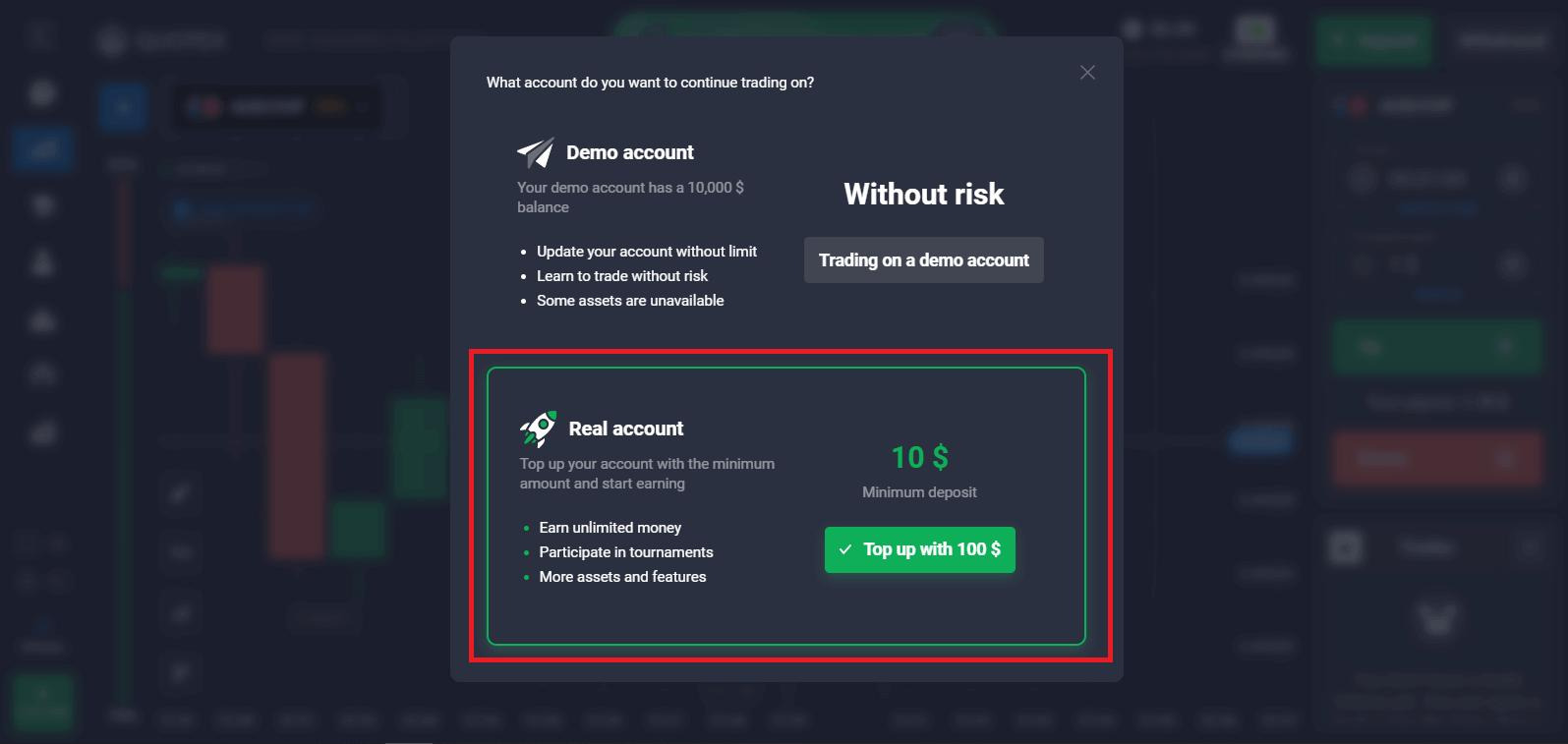
Step 3: Select the Real Account Option
When the account selection menu appears, look for the Real Account option.
Choose it to change the active account mode.
The platform should now display the real account balance rather than the virtual practice balance.
Remember that selecting Real Account does not automatically transfer your demo funds into real money.
Step 4: Check Your Real Account Balance
Once you have selected the real account, review the balance displayed on the dashboard.
If you have never deposited money, your real balance may show zero.
You do not need to create another account just to change between demo and real modes.
If you already have a balance, check that it is displayed correctly before attempting any transaction.
Step 5: Review Deposit and Verification Requirements
Switching the displayed account mode is not the same as funding the account.
Real-money trading requires sufficient available funds. Before considering a deposit, check the platform’s payment terms, verification rules, withdrawal conditions, and legal availability in your country.
If verification is requested, follow the instructions inside your account and submit documents only through a verified platform channel.
Step 6: Confirm Your Account Mode
Finally, check the account label and balance once more.
Make sure the dashboard clearly indicates whether you are in demo or real mode.
This small check is particularly important because the two trading interfaces can look almost identical.
How to Switch From Demo to Real Account on Mobile
You can generally access account selection features through the mobile version of the trading platform as well.
The process is similar to the desktop experience.
- Open the trading website in your mobile browser.
- Sign in using your registered credentials.
- Find the account balance or account selection menu.
- Tap the current Demo Account label.
- Select Real Account.
- Confirm the account type and balance displayed on your screen.
On smaller screens, some settings may appear inside a menu rather than directly at the top of the dashboard.
Avoid downloading applications from unverified websites or sharing login credentials with anyone claiming to offer account activation services.
Do You Need a New Account to Start Real Trading?
No. In general, you do not need to register a second Quotex profile to switch from demo to real mode.
The account selection feature allows registered users to access the available demo and real environments through the same login.
Creating duplicate accounts may violate the platform’s account policies.
However, if you have only used a temporary demo session without registration, you may need to create an account to access registered-account features.
You can learn about this process in our article: What Are the Steps to Register on Quotex?.
Always review the terms and eligibility requirements before registering.
Important Things to Check Before Using a Real Account
Switching between account modes is easy, but deciding whether to use real money requires more thought.
1. Understand the Risk of Losing Money
Digital options trading involves predicting price movements over a specified period.
If a prediction is incorrect, you may lose the entire amount committed to that transaction.
A strategy that appears successful in demo mode may produce different outcomes when real money is involved.
2. Review Account Verification
Some account features may require identity verification.
Depending on platform requirements, you may be asked for identification documents or other information.
Make sure your personal details are accurate and that you understand how your information will be handled.
3. Check Payment and Withdrawal Conditions
Before depositing money, read the applicable deposit and withdrawal policies.
Review minimum amounts, processing rules, identity checks, available payment methods, and any restrictions.
Never assume that depositing money guarantees a successful withdrawal or future profit.
4. Understand Local Trading Regulations
Trading platform availability does not automatically mean its services are authorised in every country.
Important for Indian readers: Quotex has appeared on the Reserve Bank of India’s Alert List of unauthorised forex trading platforms. Indian residents should review RBI rules and authorised trading platforms before considering any real-money transaction.
5. Keep Your Account Secure
Use a strong password and avoid sharing account information with third parties.
Be cautious of individuals promising guaranteed profits, account upgrades, or special withdrawal assistance.
Why Is the Real Account Option Not Working?
Sometimes users cannot access their preferred account mode or notice that the account balance is not updating correctly.
There can be several reasons.
Account login problem: Make sure you are using the correct registered email address and password.
Temporary platform issue: Refresh the page or sign out and sign in again.
Browser problem: An outdated browser or stored website data may interfere with certain account features.
Verification requirement: Some features may be restricted until additional account information is provided.
Account restrictions: The platform may limit access because of account status, eligibility, or regional restrictions.
If the problem continues, contact the platform through its official support channels.
Never pay an unknown person to unlock your account or resolve a withdrawal issue.
Can You Switch Back From Real to Demo Account?
Yes. Quotex describes demo and real accounts as selectable modes that users can switch between through the account selector.
If you want to return to practice mode, open the account selection menu and choose Demo Account.
The dashboard should then display the virtual practice balance.
Switching back to demo mode does not cancel completed real transactions or reverse financial losses.
Using the demo account remains a practical way to explore unfamiliar features without placing additional personal money at risk.
Common Mistakes When Switching to a Real Account
One common mistake is assuming that success in demo trading means someone is ready to make consistent profits.
Demo trading can help you understand the interface, but it cannot eliminate market uncertainty.
Another mistake is confusing the demo balance with actual money. Virtual profits cannot be transferred to a real account or withdrawn.
Some users also forget to check their active account mode before selecting trading controls.
Finally, rushing into a deposit without reading the platform’s rules can lead to avoidable difficulties.
Taking time to understand account settings, risk, payment policies, and legal restrictions is more important than switching modes quickly.
FAQs
How do I change my Quotex demo account to a real account?
Log in to your registered account, open the account selector, and choose Real Account. The dashboard should then display your real account balance.
Can I switch from demo to real in Quotex without depositing money?
You can generally select real account mode without making a deposit. However, you need an available real balance to place real-money trades.
Can I transfer demo money to a Quotex real account?
No. Demo funds are virtual money intended for practice. They cannot be converted into real funds or withdrawn.
Is Quotex demo trading the same as real trading?
The charts and trading tools may be similar, but real trading involves financial losses, emotional pressure, and payment-related conditions that demo trading cannot fully reproduce.
How do I switch back to a Quotex demo account?
Open the account selection menu and choose Demo Account. Confirm that the platform displays the virtual balance before using practice trading features.
Why is my Quotex real account showing zero balance?
A zero balance may mean that you have not deposited funds or that no available balance remains. If you believe funds are missing, check your transaction history and contact official support.
Is it safe to move from Quotex demo to real trading?
Switching the account setting is different from deciding whether real-money trading is safe. Digital options involve substantial risk, and platform authorisation varies by country. Understand both issues before considering real trades.
Conclusion
Learning how to switch from demo to real account in Quotex is simple once you know where to find the account selection menu.
Log in, open the balance selector, choose Real Account, and confirm the displayed account mode. You can also return to demo mode whenever that option is available.
However, switching accounts does not mean you need to start real-money trading. The demo account remains useful for exploring charts, understanding platform controls, and learning how digital options work.
Before making any financial decision, review account verification, payment rules, regulatory restrictions, and the possibility of losing your deposited money.
Disclaimer: This article is provided for educational purposes only and does not constitute investment, financial, or legal advice. Quotex is not authorised by the RBI for forex trading in India. Digital options trading is highly speculative and may result in substantial financial losses. Always verify the latest rules and seek qualified advice when necessary.